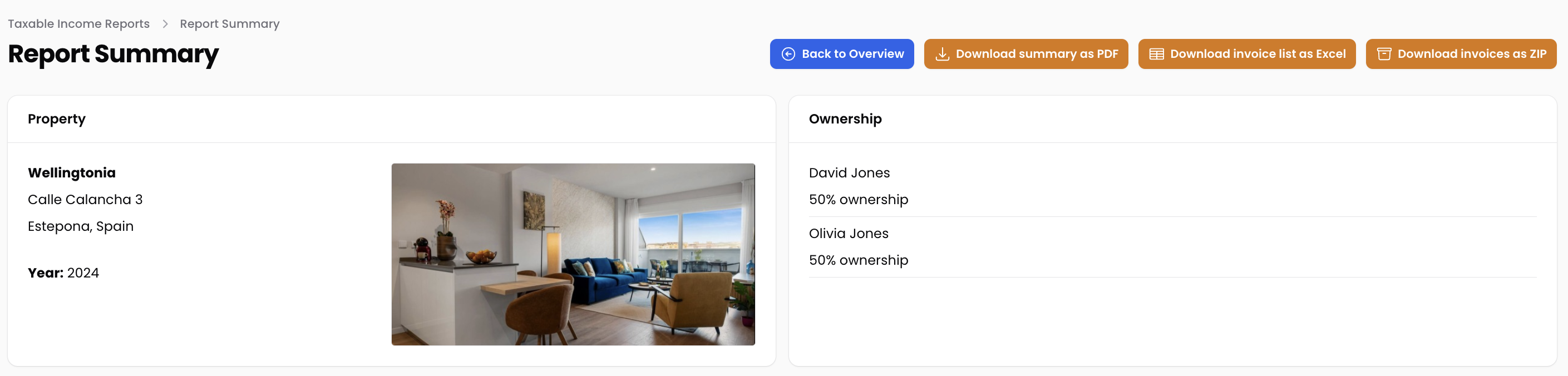
There’s a couple of prerequisites to create a tax filing preparation report:
You have to be registered as an owner
You have to have your property registered
You must have invoices (financial bookings) uploaded for your property
You need the number of days the property was rented out
Creating your first tax tax filing report is easy. We’ll take you through the steps.
The report is not automatically shared with the tax authorities ;-)
The report is dynamic, if you add/edit/delete invoices for the year for which you create a report, the report will automatically adjust
You can download the report, an Excel with all invoices and a ZIP file with the proof (PDF files for example) of your invoices so that you can send it to your accountant.
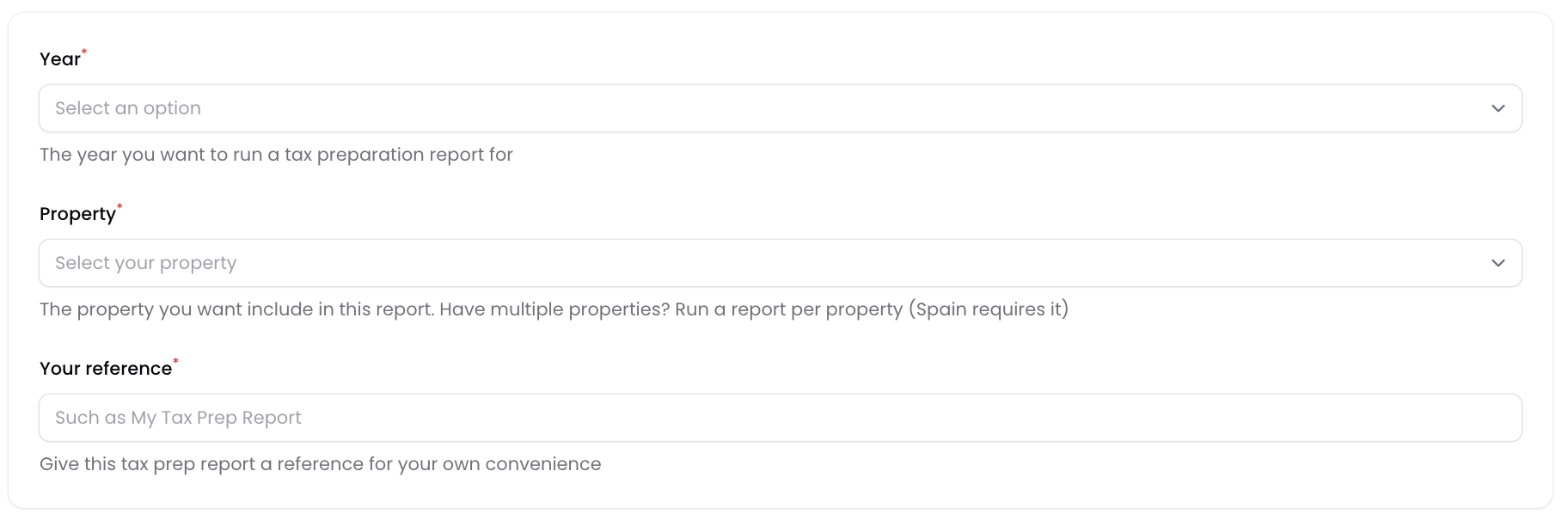
In this first step, select the year and property you want to create the tax filing report for. Also, give your report a name. Harry is good, but best to use a more describing name.
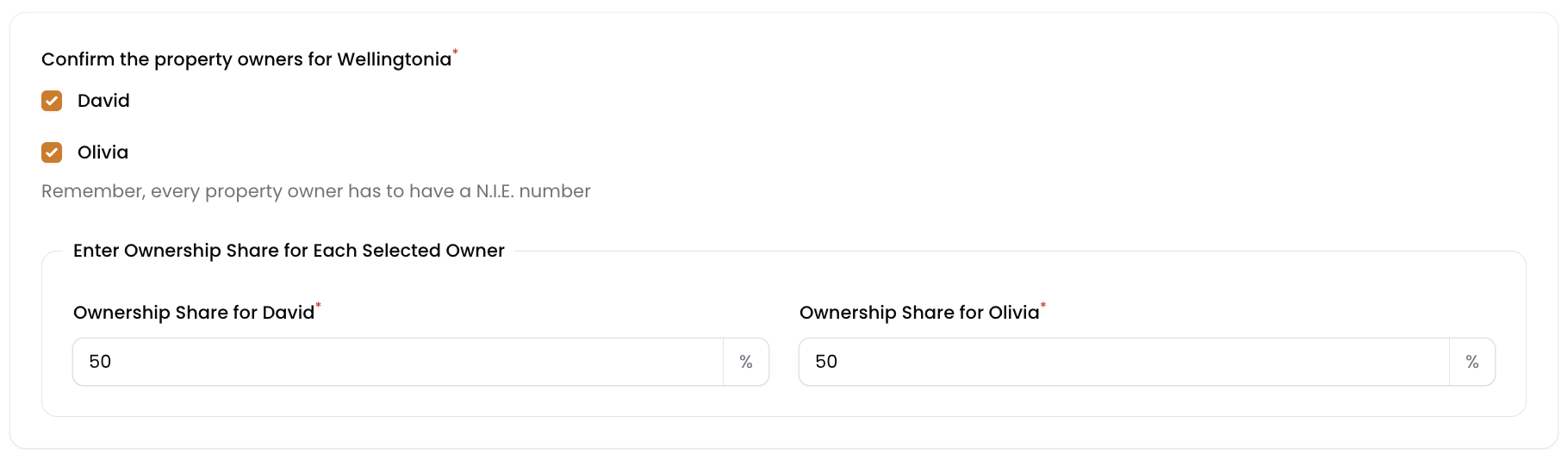
In this step you have to select the owners of the selected property for the selected year. Also, in case of multiple owners, you need to add the ownership split (for example 50/50).
Need to modify or add owners? You can do that through the property module.
In step 3 we will show you prior year write-offs. Please note that only in case you booked write-off invoices (furniture, appliances, inventory) in previous years, those invoices will be shown here. In case there are no previous year invoices on this ledger, nothing will be shown here and you can continue to step 4.

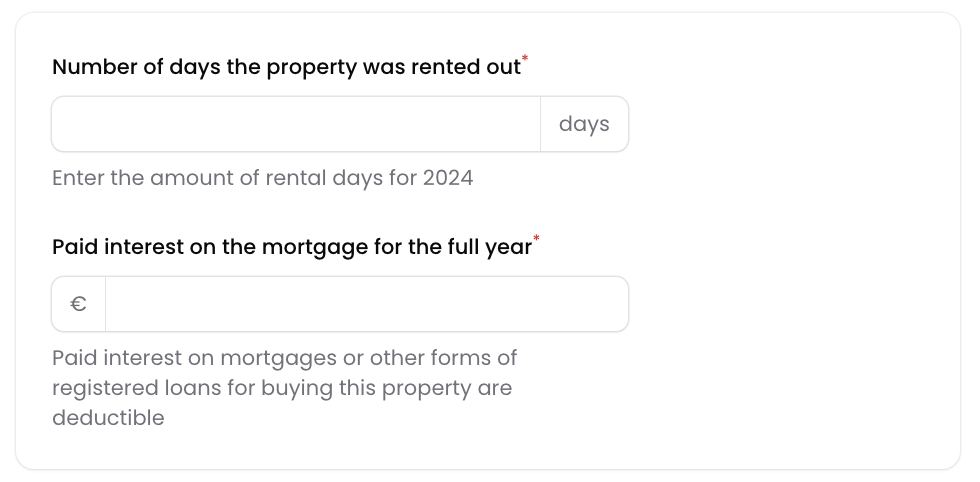
In this step we’ll need some information about the number of days your holiday home was rented out. And, in case you have a mortgage on the property, we need the paid interest amount for the year (as this is deductible pro rated).
This step is to tell you that although you can use AvenidaHQ as a very helpful tool for your Spanish taxes, you should consult a tax specialist or accountant to verify your administration.

Click on the Generate taxable income report button to store the report. After that, open the report to get the summary for your tax preparation.

And there you go. You created your first taxable income report 🎉